10CH WiFi Security Camera System Setup & Coverage Guide
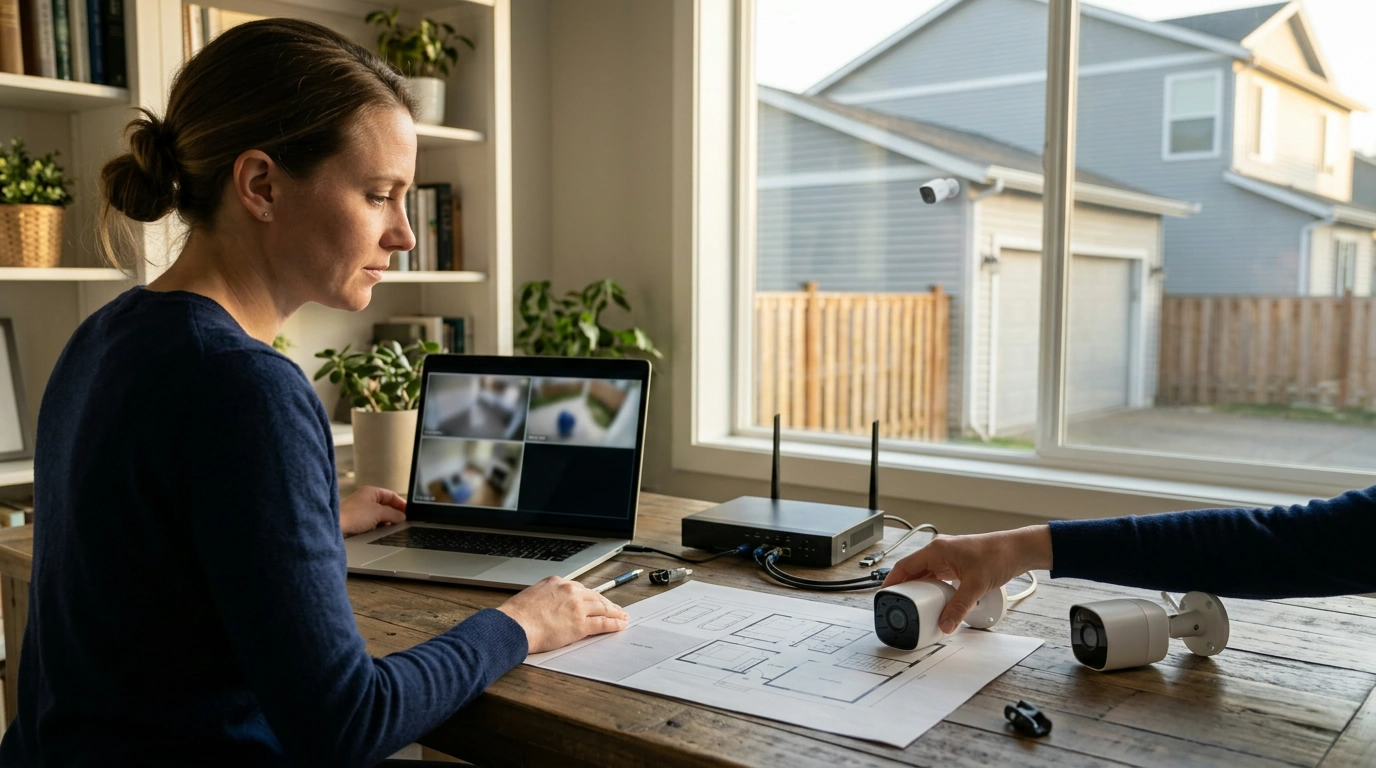
10CH WiFi Security Camera System: Coverage Planning, Setup, and Everyday Use
A 10-channel WiFi camera system is built for homes and small businesses that want multi-area coverage without running network cables to every camera. With the right placement plan and a few practical settings, a 10CH kit can keep your live view, playback, and alerts centralized while staying dependable day after day.
What a 10-channel WiFi camera system covers
“10CH” refers to the recorder’s capacity to manage up to 10 camera feeds. The exact supported camera count can vary by kit, pairing rules, and whether the system allows adding cameras beyond what’s included. The advantage is flexibility: you can cover more areas now and reserve unused channels for future additions without replacing the recorder.
Common coverage goals include whole-home perimeter monitoring, driveway/garage/backyard visibility, or a small retail layout with entrances, sales floor, and stockroom. A multi-channel system also makes daily use easier because everything is in one interface—fewer apps, fewer logins, and a simpler way to review timelines when something happens.
Example coverage plan for a 10-camera layout
| Area | Goal | Suggested camera type/position | Notes |
|---|---|---|---|
| Front door | Capture faces and deliveries | Under-eave, angled slightly down | Avoid backlighting; add porch light if needed |
| Driveway | Read vehicles, detect approach | Wide view from garage corner | Aim to reduce headlight glare at night |
| Garage interior | Monitor tools and entry door | Ceiling corner, facing door | Use motion zones to cut false alerts |
| Backyard/patio | Track activity near rear entry | Mounted on exterior wall | Consider privacy masking for neighbor lines |
| Side gate | Detect perimeter access | Narrow view down the side path | Prioritize stable WiFi coverage in side yard |
| Living room/common area | Indoor safety and incident review | High wall corner | Disable audio recording if not permitted locally |
| Stairwell/hallway | Capture movement between floors | High corner overlooking stairs | Strong placement for person tracking events |
| Basement/utility | Monitor storage and equipment | Corner facing main access | Add lighting if consistently dark |
| Back entrance | Capture entry events | Under-eave near door | Use motion zones to avoid street/trees |
| Office/checkout (small business) | Record transactions and incidents | High corner with clear counter view | Confirm signage/consent requirements |
Wireless performance: range, interference, and stability
WiFi cameras live or die by signal quality. Distance, multiple interior walls, brick/stucco exteriors, metal siding, and even large appliances can weaken the link enough to cause choppy live view or dropped recordings. Before drilling holes, test WiFi at each intended location with a phone and pay attention to consistency—not just peak speed.
Interference is the other common culprit. Nearby routers, Bluetooth devices, and dense apartment environments can crowd the airwaves, while microwaves can cause short bursts of disruption. If the system supports dual-band, try both 2.4 GHz and 5 GHz: 2.4 GHz tends to travel farther and penetrate better, while 5 GHz often offers better throughput at shorter distances.
Placement of your recorder and router matters as much as the cameras. Keeping equipment central and out in the open can make a bigger difference than upgrading camera settings. For outdoor weak zones (side yards, detached garages, sheds), adding a mesh node or access point closer to the exterior wall can stabilize video and reduce camera reconnect events.
Video quality and recording settings that matter day to day
Higher resolution helps with identification details like faces and license plates, but it also increases bandwidth demand and storage use. If a camera struggles to stay connected, lowering bitrate slightly or reducing frame rate can improve stability without making footage unusable.
Privacy, security, and account hardening
Start by changing default credentials immediately and using a strong admin password. Use unique passwords for the recorder, app account, and WiFi network, and enable two-factor authentication if the platform supports it. Practical password guidance can be found in the NIST Digital Identity Guidelines.
Keep firmware up to date to reduce exposure to known vulnerabilities, and consider placing cameras on a guest or IoT network so a compromised device has less access to computers, phones, and file shares. For additional security hygiene, the FTC’s device security guidance is a helpful baseline. Also review local laws and building rules for audio recording and camera placement—especially in shared spaces.
Installation checklist for a clean setup
If your install involves adding brackets, mounting plates, or hardware to thin metal surfaces, a dedicated fastening tool can help speed up the job. The 16″ Rivet Nut Tool Kit with 11 Mandrels & 185pcs Rivnuts Assortment is one in-stock option that can be useful for clean, secure mounting in some DIY setups.
Storage and retention planning
Recommended option
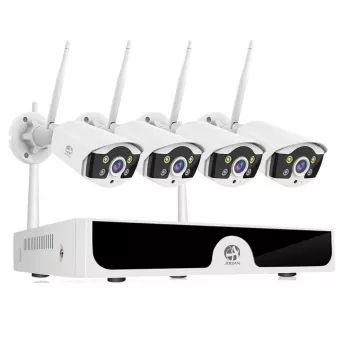
A 10-channel WiFi kit can simplify multi-camera management by keeping live view, playback, and alerts in one system. For a ready-to-deploy choice, the 10CH WiFi Security Camera System is an in-stock option to consider—especially when you plan placements first and use all channels strategically over time.
Product snapshot
| Product | Price | Availability |
|---|---|---|
| 10CH WiFi Security Camera System | 398.47 USD | In stock |
FAQ
What does 10CH mean on a WiFi security camera system?
10CH refers to the recorder’s ability to handle up to 10 camera feeds. The exact number of cameras you can add depends on the kit and camera compatibility, but extra channels are useful for expanding coverage later without replacing the recorder.
Will WiFi cameras work if the internet goes out?
Many systems can keep recording locally to the recorder/storage as long as the cameras can still connect over local WiFi. Remote viewing, cloud features, and mobile notifications may stop until the internet connection returns.
How can false motion alerts be reduced outdoors?
Use motion zones and adjust sensitivity so the camera ignores tree branches, shadows, and busy roads. Better placement, consistent lighting, and avoiding infrared reflections (like pointing at a wall or window) also helps reduce nuisance alerts.







Leave a comment