65% Wireless 3-Mode Keyboard: Knob, Hot-Swap, QMK
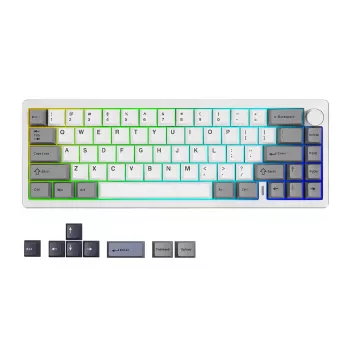
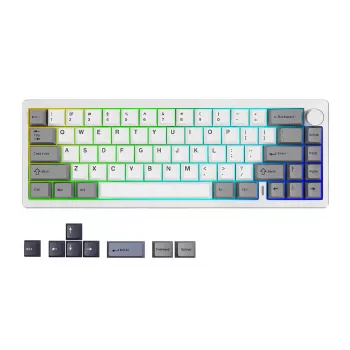
65% Wireless Custom Mechanical Keyboard with Knob, Hot‑Swap Switches, RGB, and QMK/VIA: What It Changes in Daily Use
A compact 65% layout can keep the desk clean without giving up daily keys, and adding wireless connectivity, a programmable knob, hot‑swap sockets, per‑key lighting, and open firmware support makes it a flexible choice for work, gaming, and creative apps. Below is a practical breakdown of what each feature changes in real use, what to check before buying, and how to set it up so the first week feels smooth rather than fiddly. For more guidance, see Build a Mechanical Keyboard: 14 Steps, 120 Min [2026] – Tech Insider.
What a 65% Layout Changes Day to Day
A 65% keyboard is a sweet spot for people who want a smaller footprint but still rely on arrow keys. Unlike many 60% boards, a typical 65% keeps dedicated arrows and a small navigation column (often Delete/Page Up/Page Down or similar), which helps with editing, browsing, and everyday shortcuts. For further reading, see [IC] Wireless 60% Custom MK with Hot-swap and QMK – Geekhack.
- Keeps arrows and a compact navigation cluster while shrinking the footprint compared to full-size and TKL keyboards.
- Expect a short learning curve for missing keys (often the function row) by using an Fn layer—especially noticeable in spreadsheets, coding, and shortcuts-heavy apps.
- Improves mouse reach and desk ergonomics by reducing hand travel, which can feel more comfortable across long sessions.
- Balances minimalism with practicality: compact, but not “arrow-key-less.”
Wireless Modes and What to Look For
Wireless is not one single experience. Bluetooth tends to win on compatibility (laptops, tablets, phones), while 2.4 GHz dongles tend to win on consistency and latency. Wired mode still matters for firmware updates, troubleshooting, and battery-free marathons.
| Wireless option | Strengths | Trade-offs | Best for |
|---|---|---|---|
| Bluetooth | Wide device support (laptops, tablets, phones) | Can be higher latency; varies by host device | Multi-device workflows and travel setups |
| 2.4 GHz dongle | Often lower latency and stable connection | Needs USB port and dongle management | Desktop gaming and consistent performance |
| Wired USB | No battery concerns; consistent input | Cable on desk | Firmware updates and latency-sensitive tasks |
Before buying, check how device switching works if you plan to hop between a laptop, tablet, and desktop. Some boards use an Fn shortcut, others have a physical switch, and the best setups make switching obvious so you don’t “type into the wrong device.” Also confirm charging behavior: being able to type while charging is a small detail that prevents big interruptions.
For background on how Bluetooth behaves across devices and versions, the Bluetooth SIG specification hub is a useful reference: Bluetooth Core Specification (Bluetooth SIG).
Knob Controls: Practical Uses Beyond Volume
A knob is one of those features that seems like a novelty until it becomes muscle memory. Volume/mute is a solid default, but the real value is mapping rotation and press to actions you do constantly.
- Editors: scroll line-by-line, jump faster with accelerated turns, or scrub horizontally in spreadsheets.
- Creative apps: zoom in/out, adjust brush size, rotate canvas, or scrub a timeline.
- Browsers and research: tab switching, page zoom, or quick scroll for long documents.
- Layered behavior: set one knob role on your base layer (volume), and a different role on a “work” layer (timeline scrub), so the knob matches what you’re doing.
If you customize the knob, keep mappings consistent by category (for example: “turn = zoom” in all design tools). Consistency beats cleverness because it reduces mistakes when you’re moving fast.
Hot‑Swap Switches: Tuning Sound and Feel Without Soldering
Hot‑swap sockets let you pull a switch and drop in another without soldering. That means the keyboard can evolve with your preferences: smoother for long typing days, snappier for gaming, or quieter for shared spaces.
Switch feel guide (quick reference)
| Switch type | Feel | Typical sound | Good fit for |
|---|---|---|---|
| Linear | Smooth, consistent press | Lower-pitch; can be quiet with dampening | Gaming, long typing sessions |
| Tactile | Noticeable bump mid-press | Moderate; more feedback noise | Typing accuracy and feedback |
| Clicky | Tactile bump with click | Loud, sharp | Users who enjoy audible confirmation |
RGB Lighting: Useful Defaults and Clean Setups
QMK/VIA Support: Remapping, Layers, and Macros
Starter layer map idea for a 65% board
| Layer | Goal | Suggested assignments |
|---|---|---|
| Base | Typing and arrows | Standard layout + arrows + knob volume/mute |
| Fn 1 | Function row and media | F1–F12, play/pause, next/prev, brightness, screenshot |
| Fn 2 | Navigation/editing | Home/End/PgUp/PgDn, delete, word jump, line start/end |
Setup Checklist for the First Week
Who This Keyboard Fits Best
In-Stock Picks
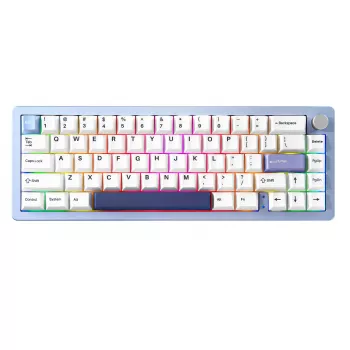
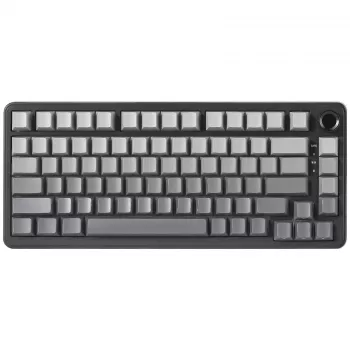
- 65% Wireless Custom Mechanical Keyboard with Knob, Hot Swap, RGB & QMK/VIA Support — a compact daily driver built for remaps, layers, and switch experimentation.
- AI-Powered Checklist for Better Sleep Adventures | Digital Sleep Guide — a simple add-on for winding down after long work or gaming sessions.
- 16″ Rivet Nut Tool Kit with 11 Mandrels & 185pcs Rivnuts Assortment — handy for workshop builds and hardware projects.
FAQ
Does QMK/VIA work on wireless keyboards?
Often yes, but the details vary by model. Many boards allow VIA remapping while connected via USB, and flashing or deeper QMK changes may require wired mode even if you normally use the keyboard wirelessly.
What switches can be used with hot‑swap sockets?
Most hot-swap boards are designed for MX-style switches, but you should confirm whether the sockets accept 3-pin only or also support 5-pin switches. Insert switches straight to avoid bent pins, and use a proper switch puller for safe removal.
What are good knob mappings besides volume?
Popular options include zoom, horizontal scroll, timeline scrubbing, brush size, and tab switching. Assign a consistent role per app category (editing, design, browsing) and use layers to keep the knob predictable.






Leave a comment