Rapid Trigger 65% Magnetic RGB Keyboard Guide
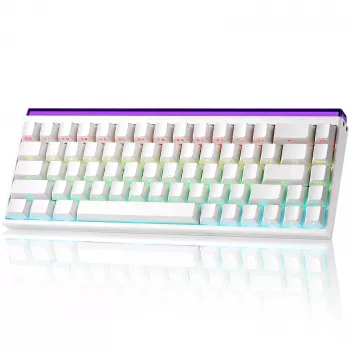
Rapid Trigger Magnetic 65% Gaming Keyboard with RGB and Hall Effect Switches
A magnetic keyboard with Hall effect switches changes how keypresses are detected: instead of relying on metal contacts, it measures travel with sensors, enabling adjustable actuation and rapid trigger behavior. In a compact 65% layout, that can translate into faster resets for movement keys, cleaner counter-strafes, and a desk-friendly footprint—while still keeping arrow keys and essential navigation. The sections below break down how the switch technology works, what rapid trigger actually changes in play, and how to set it up for common game genres.
What makes Hall effect switches different
Hall effect (magnetic) switches use position sensing rather than a fixed electrical contact point. When you press a key, a magnet in the stem moves relative to a Hall sensor, and the keyboard firmware converts that movement into a signal it can interpret as actuation, release, and (on supported boards) continuous position data.
- Magnetic sensing: the switch measures distance traveled by reading magnetic field changes rather than closing a metal contact.
- No physical leaf contact for actuation: reduces the risk of contact-related chatter and avoids dependence on one fixed mechanical actuation point.
- Adjustable actuation: many Hall effect boards allow per-key actuation distance tuning (popular on WASD, space, shift, and ability keys).
- Analog-style position data: supports dynamic actuation and rapid trigger behavior by tracking where the key is along its travel, not just “pressed/not pressed.”
- Consistency considerations: case mounting, plate design, stabilizers, and firmware calibration still matter for feel and repeatability.
If you want the engineering overview of how Hall sensors translate magnetic field changes into usable signals, Texas Instruments maintains a clear primer on Hall-effect sensor basics.
Rapid trigger explained (and why it feels faster)
Traditional mechanical behavior is tied to fixed points: one point where a press actuates, and another point where the switch “resets” on the way back up. During fast strafing or repeated taps, that fixed reset can feel like a tiny speed limit—especially if you don’t fully release the key each time.
- Traditional behavior: a key must travel back past a fixed reset point before it can register the next press.
- Rapid trigger behavior: the board re-triggers based on direction changes and small movement thresholds, letting a key “reset” as soon as it starts moving upward (and re-actuate as soon as it moves downward).
- Practical effect in shooters: quicker stop-start movement inputs can make counter-strafing and micro-corrections feel more immediate.
- Practical effect in rhythm/ARPGs: repeated taps can feel less “locked” to a fixed reset point during dense patterns.
- Trade-offs: overly sensitive settings can cause accidental re-triggers if fingers rest heavily on keys; tuning matters more than chasing the lowest number.
How common settings change the feel
| Setting | Lower value tends to feel like | Higher value tends to feel like | Good starting point |
|---|---|---|---|
| Actuation distance | Hair-trigger; very responsive but easier to mis-press | More deliberate; fewer accidental presses | 0.8–1.5 mm for WASD, 1.5–2.2 mm for other keys |
| Rapid trigger sensitivity / release threshold | Instant reset; easier to spam inputs | More stable; fewer accidental double inputs | Moderate sensitivity, then adjust per game |
| Per-key tuning | Highly optimized control where it matters | Uniform feel across the board | Tune WASD/space/shift first |
For performance context (including how reviewers typically evaluate latency and consistency), RTINGS publishes a transparent keyboard testing methodology that helps explain why settings and firmware can matter as much as the switch type.
Why a 65% layout works for gaming
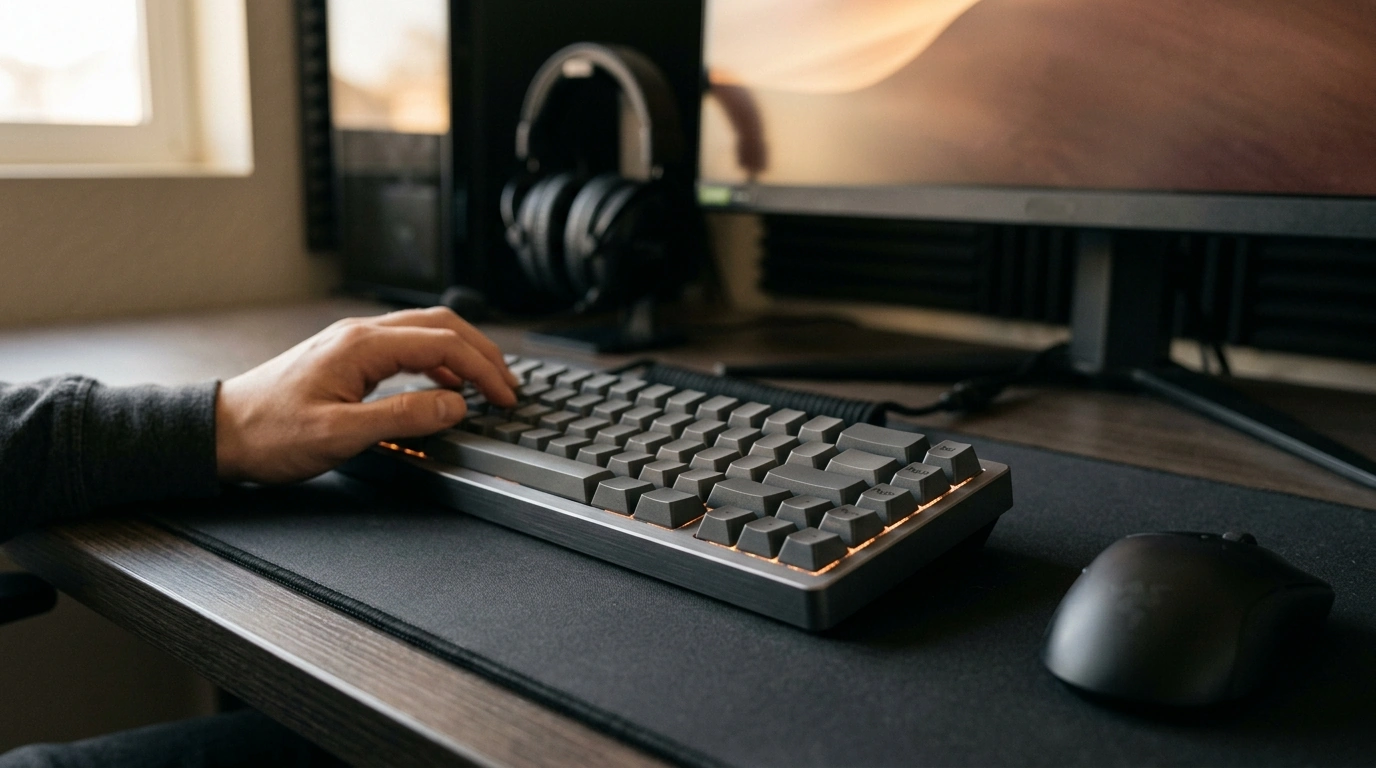
A 65% keyboard is a practical sweet spot for many gaming desks: compact enough to open up mouse space, but not so minimal that basic navigation becomes frustrating. Unlike many 60% layouts, a 65% commonly keeps dedicated arrow keys—handy for game menus, editing, and everyday use.
- More mouse space: the smaller footprint supports lower-sensitivity aim and wider swipes without bumping into the board.
- Arrow keys included: dedicated arrows reduce reliance on function layers for common navigation.
- Function layer habits: the function row and some nav keys move to a layer—learning a couple shortcuts early prevents daily friction.
- Cable routing and desk setup: compact boards pair well with centered typing posture and angled mouse placement.
- Portability: easier to pack for LANs or moving between setups.
Like most keyboards, it still identifies to your system as a standard HID device; USB-IF maintains reference resources around the HID ecosystem at usb.org.
RGB lighting that’s actually useful
Setup and tuning checklist (quick wins)
Who this keyboard fits best
Shop in-stock picks
- Rapid Trigger Magnetic 65% Gaming Keyboard with RGB and Hall Effect Switches
- Men’s Quick-Dry Short Sleeve Sports Shirt – Lightweight Workout & Running Top
- AI-Powered Checklist for Better Sleep Adventures | Digital Sleep Guide for Relaxation, Lucid Dreaming & ai suggestions for better dreams
Product snapshot
| Item | Detail |
|---|---|
| Name | Rapid Trigger Magnetic 65% Gaming Keyboard with RGB and Hall Effect Switches |
| Price | 109.01 USD |
| Availability | In stock |
| Product page | View product |
FAQ
Do Hall effect keyboards feel different from standard mechanical keyboards?
They can feel similar in weight and smoothness because spring and slider design still shape the physical feel, but they differ in responsiveness because actuation and reset are position-based. Adjustable actuation and rapid trigger tuning often make the same keystroke feel “quicker” during repeated inputs.
How should rapid trigger settings be tuned for competitive shooters?
Start with moderate rapid trigger sensitivity and slightly lower actuation on WASD first, then increase sensitivity until counter-strafes feel crisp without accidental double inputs. Keeping a separate typing profile with more conservative settings helps avoid mistakes outside of matches.
Is a 65% keyboard practical for everyday use?
Yes, especially because most 65% layouts keep arrow keys for navigation. The main adjustment is learning a function layer for the missing function row and some navigation keys, in exchange for more desk space and easier portability.







Leave a comment